Getting startedInstalling Gato GraphQL in WordPress
Installing Gato GraphQL in WordPress
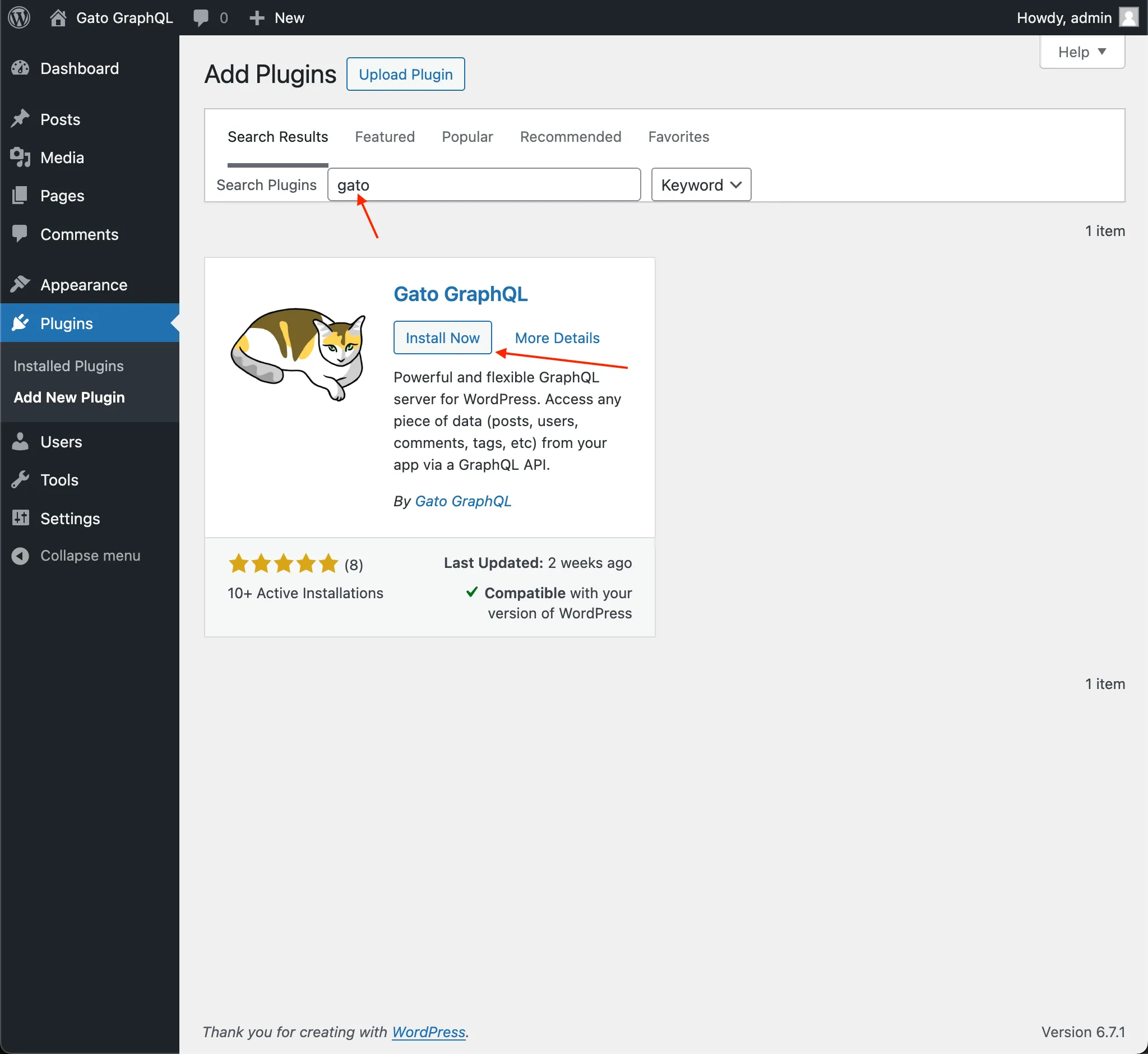
If you haven't yet, please download and install the Gato GraphQL plugin in your WordPress site, via the Plugins > Add new plugin page.
Installing a Gato GraphQL extension in WordPress
If you've purchased a Gato GraphQL extension, download the Gato GraphQL extension plugin file from My account.
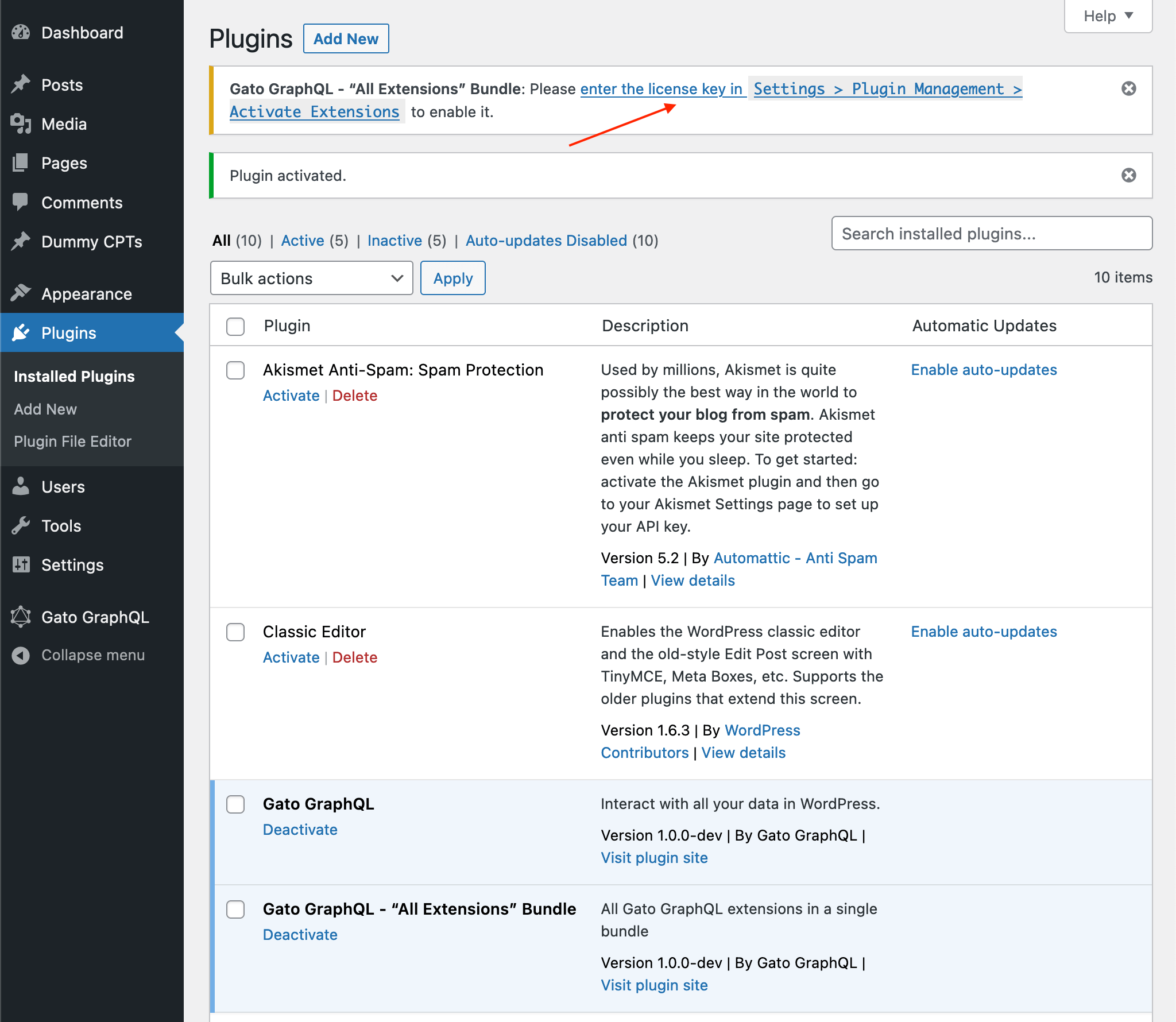
Install it in your WordPress site (under Plugins > Add new > Upload), and activate it.
Upon activation, an admin notice will request to provide the license key:
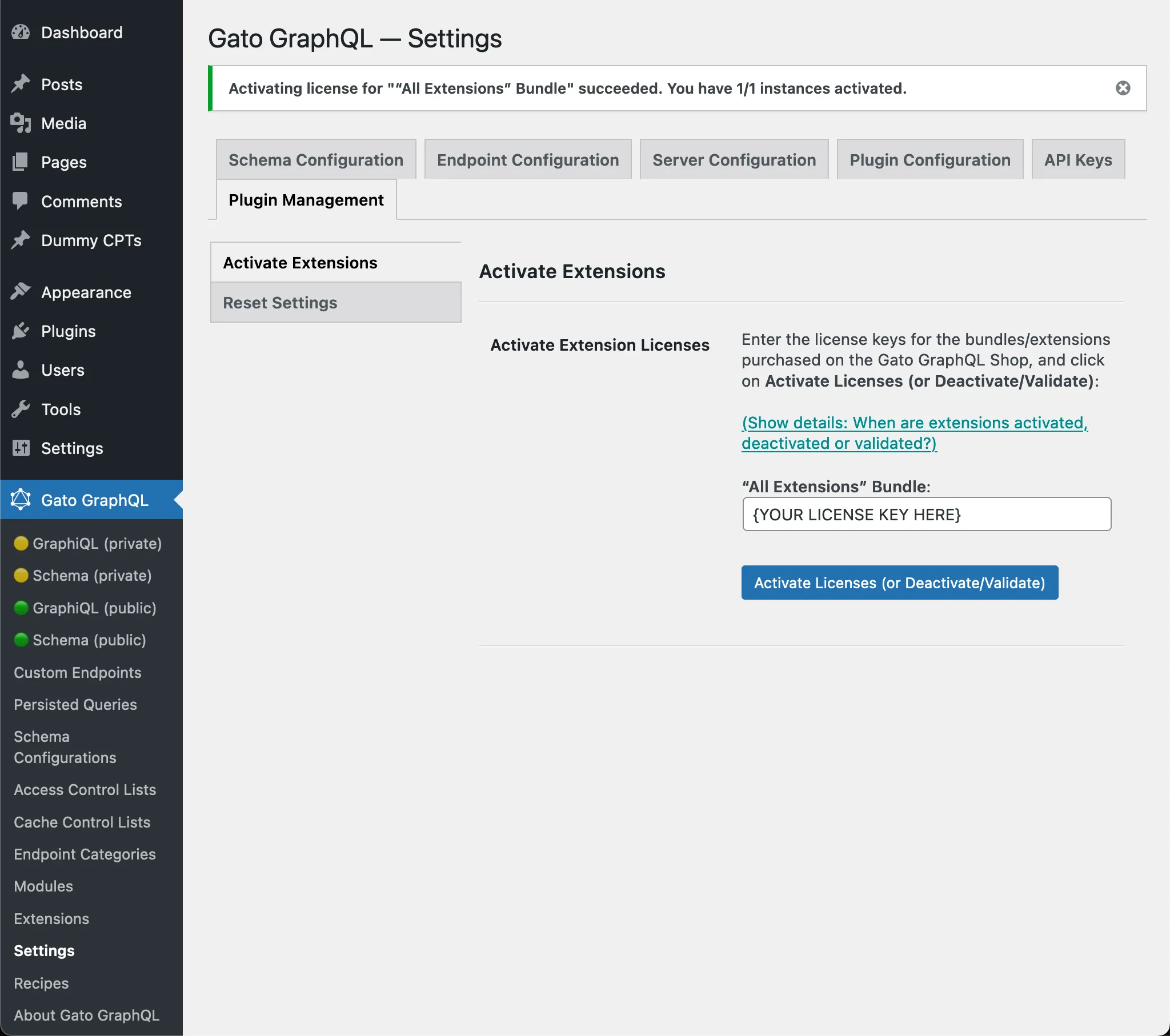
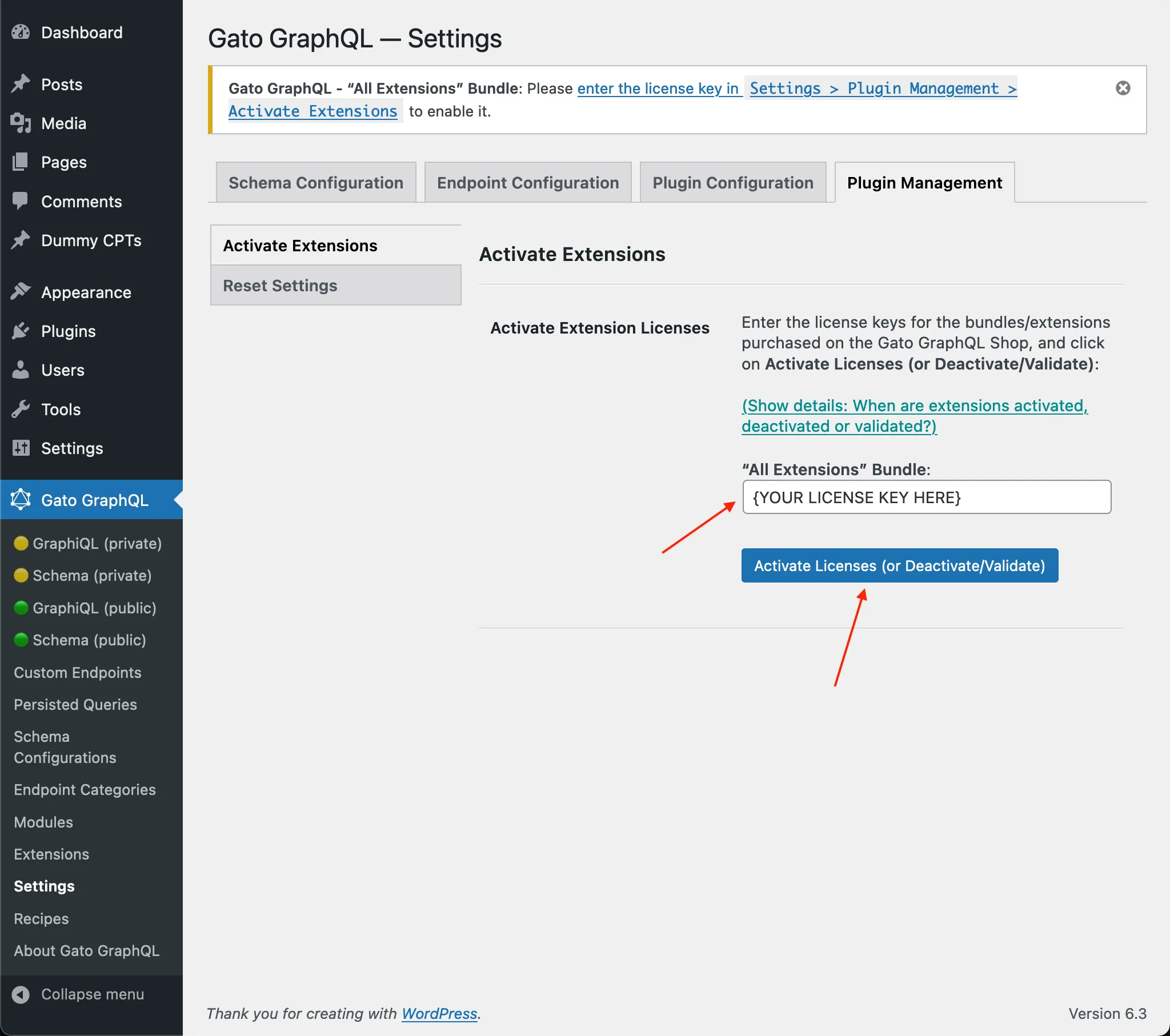
Click on the link to go to the Settings page. Then copy/paste the license key, and click on Activate licenses (or Deactivate/Validate).
The Gato GraphQL extension will now be activated and enabled: