

Self-Hosted LLM Translation
Inject a self-hosted LLM (eg: via Ollama) as a translation provider into directive @strTranslate, to translate a field value to any desired language.
Description
Make a self-hosted LLM available as a translation provider in directive @strTranslate.
Add directive @strTranslate to any field of type String, to translate it to the desired language.
For instance, this query translates the post's title and content fields from English to French using your self-hosted LLM:
{
posts {
title @strTranslate(
from: "en",
to: "fr",
provider: self_hosted_llm
)
content @strTranslate(
from: "en",
to: "fr",
provider: self_hosted_llm
)
}
}Authorization
If you're hosting the LLM under your own server, you will not need the API key.
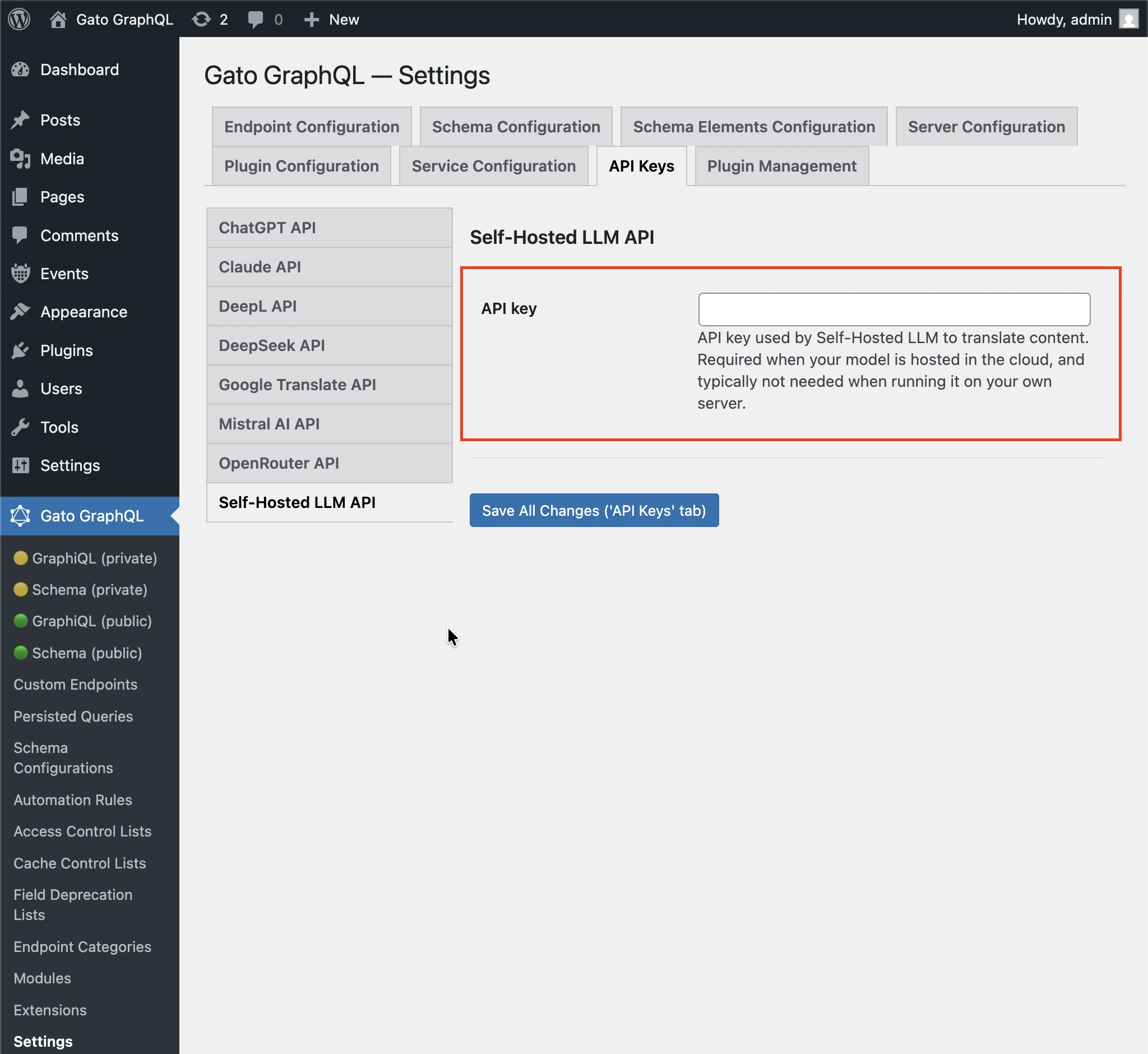
If you use your self-hosted LLM in the cloud (eg: when using Ollama Cloud), you may need to provide an API key, via tab Plugin Management > Self-Hosted LLM Translation on the Settings page.
Then follow one of the methods below to input the value.
By Settings
Input the API key in the corresponding inputs in the Settings page, and click on "Save Changes (All)":
In wp-config.php
Add constant GATOGRAPHQL_SELF_HOSTED_LLM_TRANSLATION_SERVICES_API_KEY in wp-config.php:
define( 'GATOGRAPHQL_SELF_HOSTED_LLM_TRANSLATION_SERVICES_API_KEY', '{your API key}' );By environment variable
Define environment variable SELF_HOSTED_LLM_TRANSLATION_SERVICES_API_KEY.
LLM Configuration
You must configure the following values:
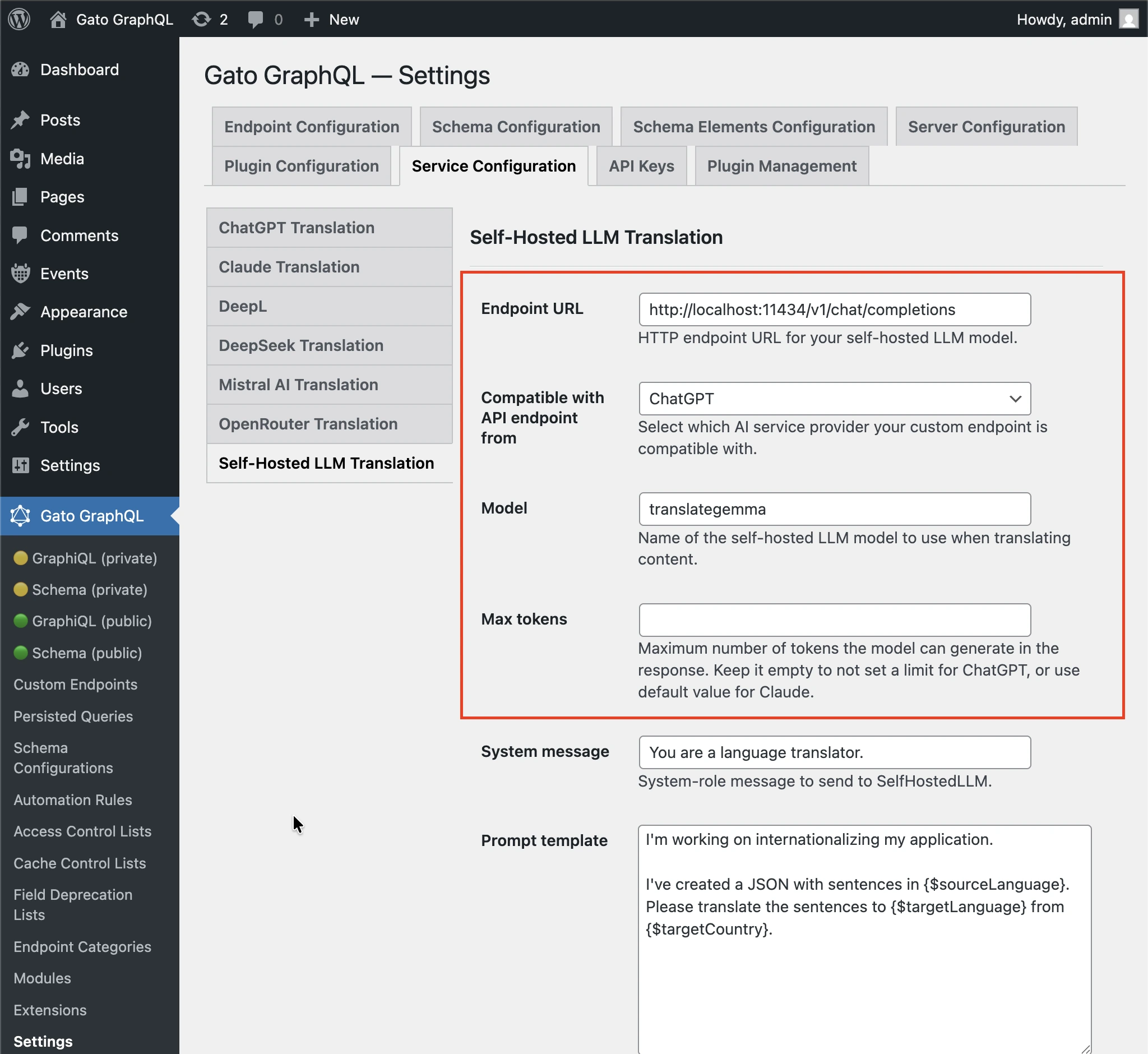
- Endpoint URL: HTTP endpoint URL for your self-hosted LLM model. Eg:
http://localhost:11434/v1/chat/completionswhen using ChatGPT format and hosting the LLM model in your server using Ollamahttp://localhost:11434/v1/messageswhen using Claude format and hosting the LLM model in your server using Ollamahttps://ollama.com/v1/chat/completionswhen using ChatGPT format and Ollama Cloudhttps://ollama.com/v1/messageswhen using Claude format and Ollama Cloud
- Compatible with API endpoint from: Which AI service provider your custom endpoint is compatible with, with options ChatGPT and Claude
- Model: Name of the self-hosted LLM model to use when translating content.
- Max tokens: Maximum number of tokens the model can generate in the response. Keep it empty to not set a limit for ChatGPT, or use default value for Claude.
Follow one of the methods below to input the values.
By Settings
Input the model in the corresponding input in the Settings page, and click on "Save Changes (All)":
In wp-config.php
Add constants in wp-config.php:
GATOGRAPHQL_SELF_HOSTED_LLM_TRANSLATION_SERVICES_ENDPOINT_URLGATOGRAPHQL_SELF_HOSTED_LLM_TRANSLATION_SERVICES_ENDPOINT_FORMAT_PROVIDERGATOGRAPHQL_SELF_HOSTED_LLM_TRANSLATION_SERVICES_MODELGATOGRAPHQL_SELF_HOSTED_LLM_TRANSLATION_SERVICES_MAX_TOKENS
define( 'GATOGRAPHQL_SELF_HOSTED_LLM_TRANSLATION_SERVICES_ENDPOINT_URL', 'http://localhost:11434/v1/chat/completions' );
define( 'GATOGRAPHQL_SELF_HOSTED_LLM_TRANSLATION_SERVICES_ENDPOINT_FORMAT_PROVIDER', 'chatgpt' );
define( 'GATOGRAPHQL_SELF_HOSTED_LLM_TRANSLATION_SERVICES_MODEL', 'translategemma' );
define( 'GATOGRAPHQL_SELF_HOSTED_LLM_TRANSLATION_SERVICES_MAX_TOKENS', '128000' );By environment variable
Define environment variables:
SELF_HOSTED_LLM_TRANSLATION_SERVICES_ENDPOINT_URLSELF_HOSTED_LLM_TRANSLATION_SERVICES_ENDPOINT_FORMAT_PROVIDERSELF_HOSTED_LLM_TRANSLATION_SERVICES_MODELSELF_HOSTED_LLM_TRANSLATION_SERVICES_MAX_TOKENS
Translation prompt
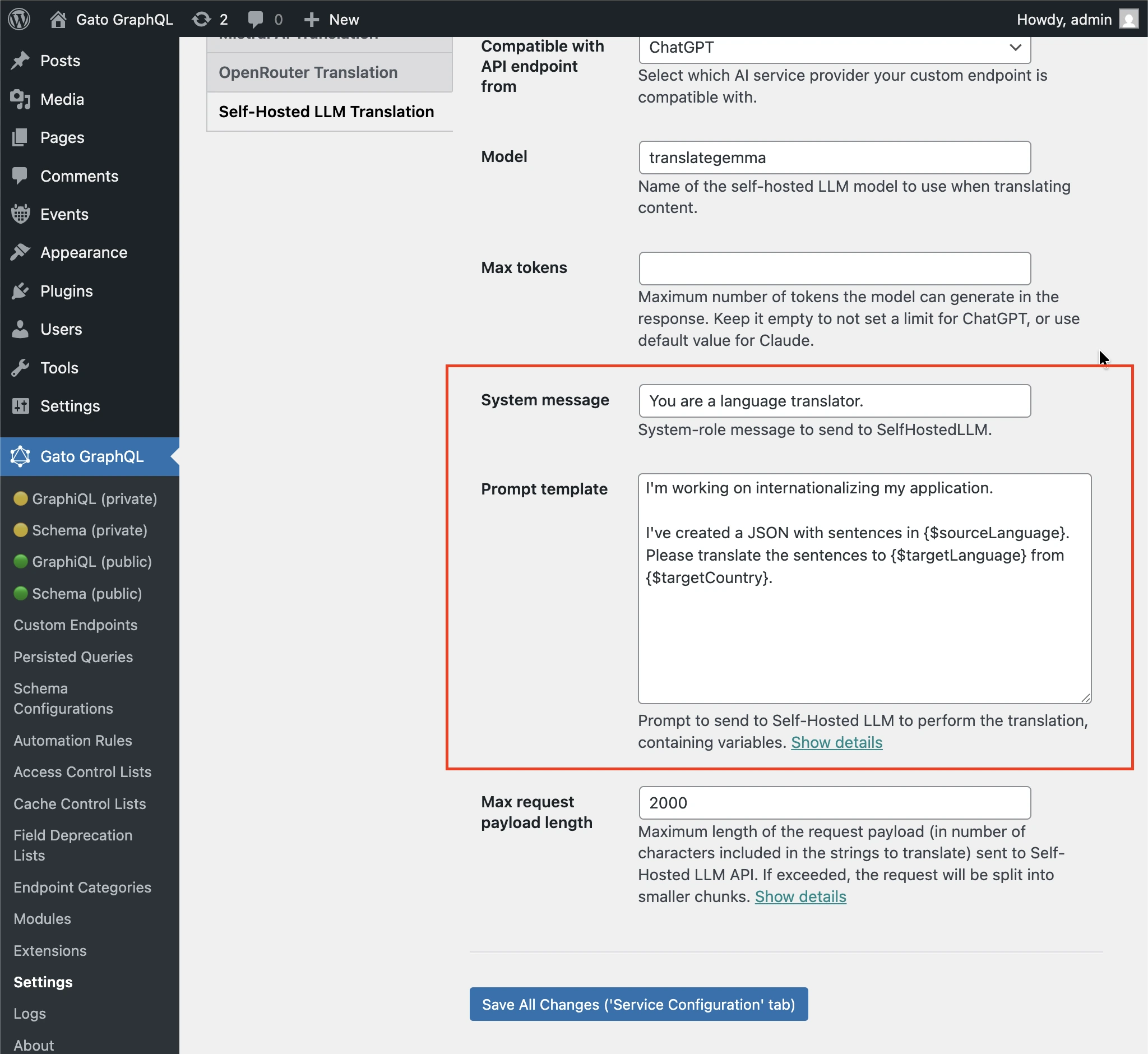
You can customize the prompt to pass the self-hosted LLM to execute the translation.
Follow one of the methods below to input the value.
By Settings
Input the "System message" and "Prompt template" in the corresponding inputs in the Settings page, and click on "Save Changes (All)":
In wp-config.php
Add constant GATOGRAPHQL_SELF_HOSTED_LLM_TRANSLATION_SERVICES_PROMPT_TEMPLATE in wp-config.php:
define( 'GATOGRAPHQL_SELF_HOSTED_LLM_TRANSLATION_SERVICES_PROMPT_TEMPLATE', 'Please translate strings from {$sourceLang} to {$targetLang}' );By environment variable
Define environment variable SELF_HOSTED_LLM_TRANSLATION_SERVICES_PROMPT_TEMPLATE.