

Gemini Translation
Use Gemini as a translation provider into directive @strTranslate, to translate a field value to your desired language.
Description
Make Gemini's API available as a translation provider in directive @strTranslate.
Add directive @strTranslate to any field of type String, to translate it to the desired language.
For instance, this query translates the post's title and content fields from English to French using the Gemini API:
{
posts {
title @strTranslate(
from: "en",
to: "fr",
provider: gemini
)
content @strTranslate(
from: "en",
to: "fr",
provider: gemini
)
}
}Google Authorization
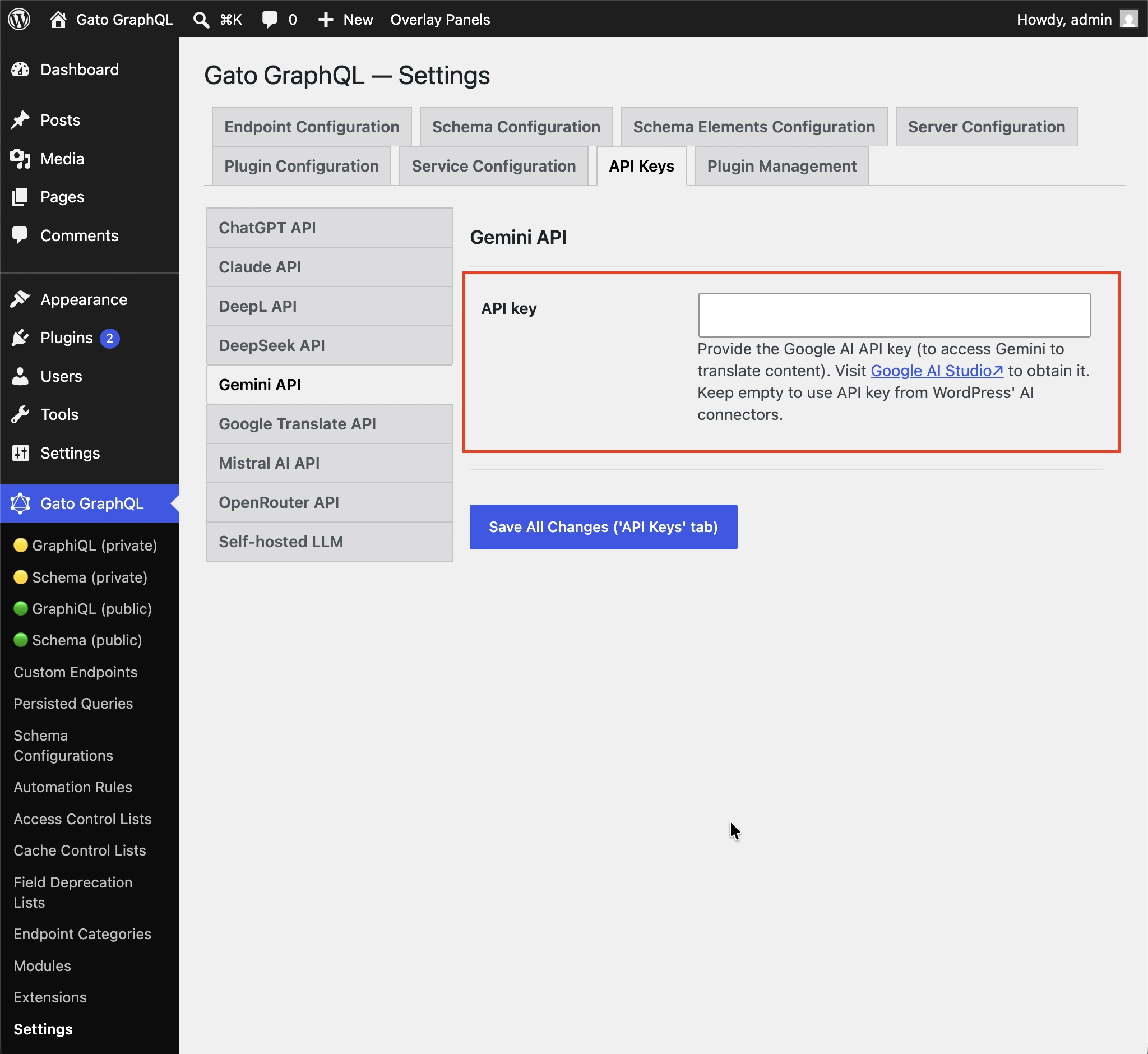
In order to use Gemini, it is mandatory to provide your Google API key, via tab "Plugin Management => Gemini Translation" on the Settings page.
Create the API key in your Google AI Studio account.
Then follow one of the methods below to input the value.
By Settings
Input the API key in the corresponding inputs in the Settings page, and click on "Save Changes (All)":
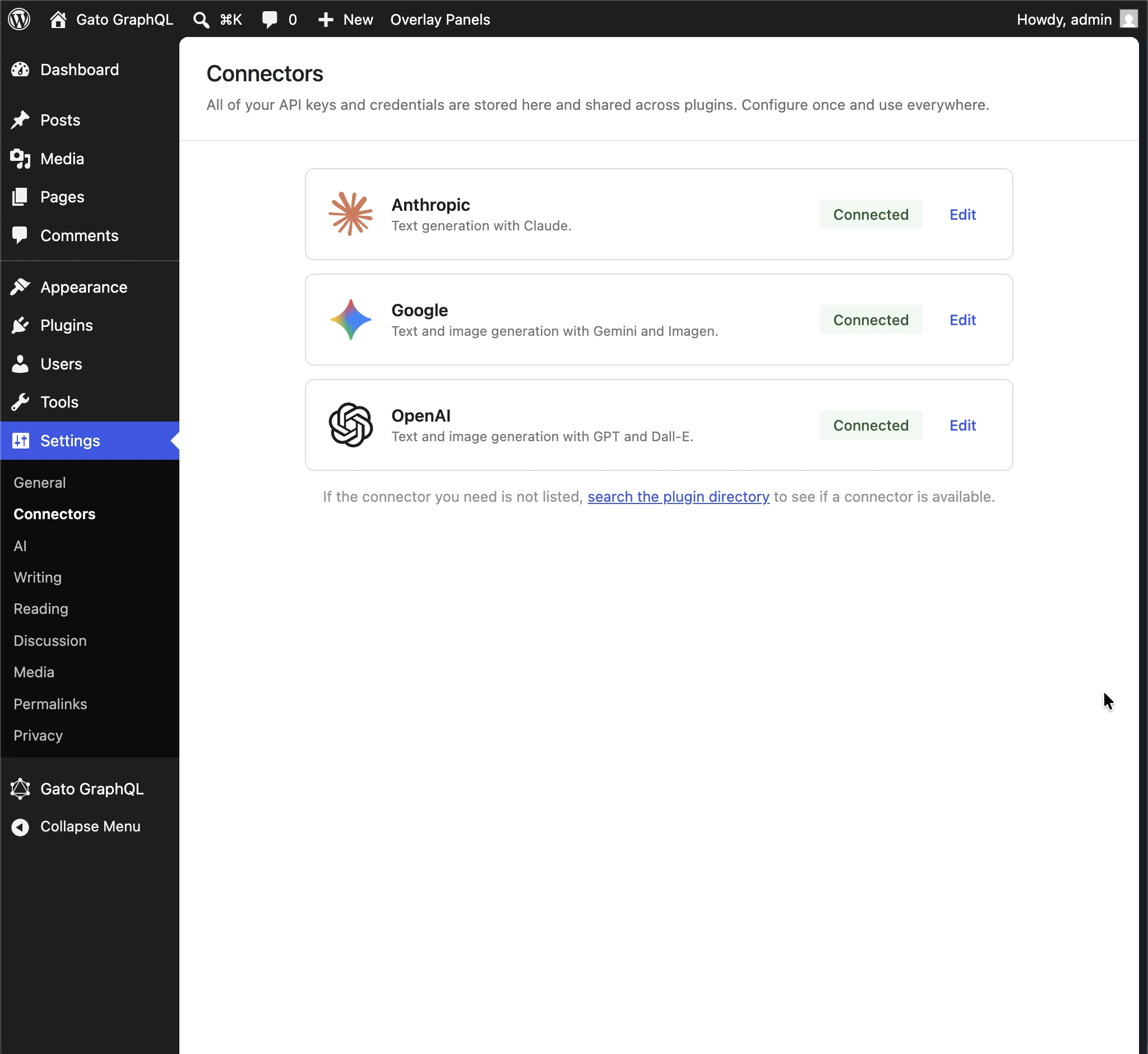
On WordPress 7.0+, if the plugin settings field is empty, the API key is taken from WordPress AI Connectors, under Settings > Connectors.
In wp-config.php
Add constant GATOGRAPHQL_GEMINI_TRANSLATION_SERVICES_GOOGLE_API_KEY in wp-config.php:
define( 'GATOGRAPHQL_GEMINI_TRANSLATION_SERVICES_GOOGLE_API_KEY', '{your API key}' );By environment variable
Define environment variable GEMINI_TRANSLATION_SERVICES_GOOGLE_API_KEY.
Gemini model
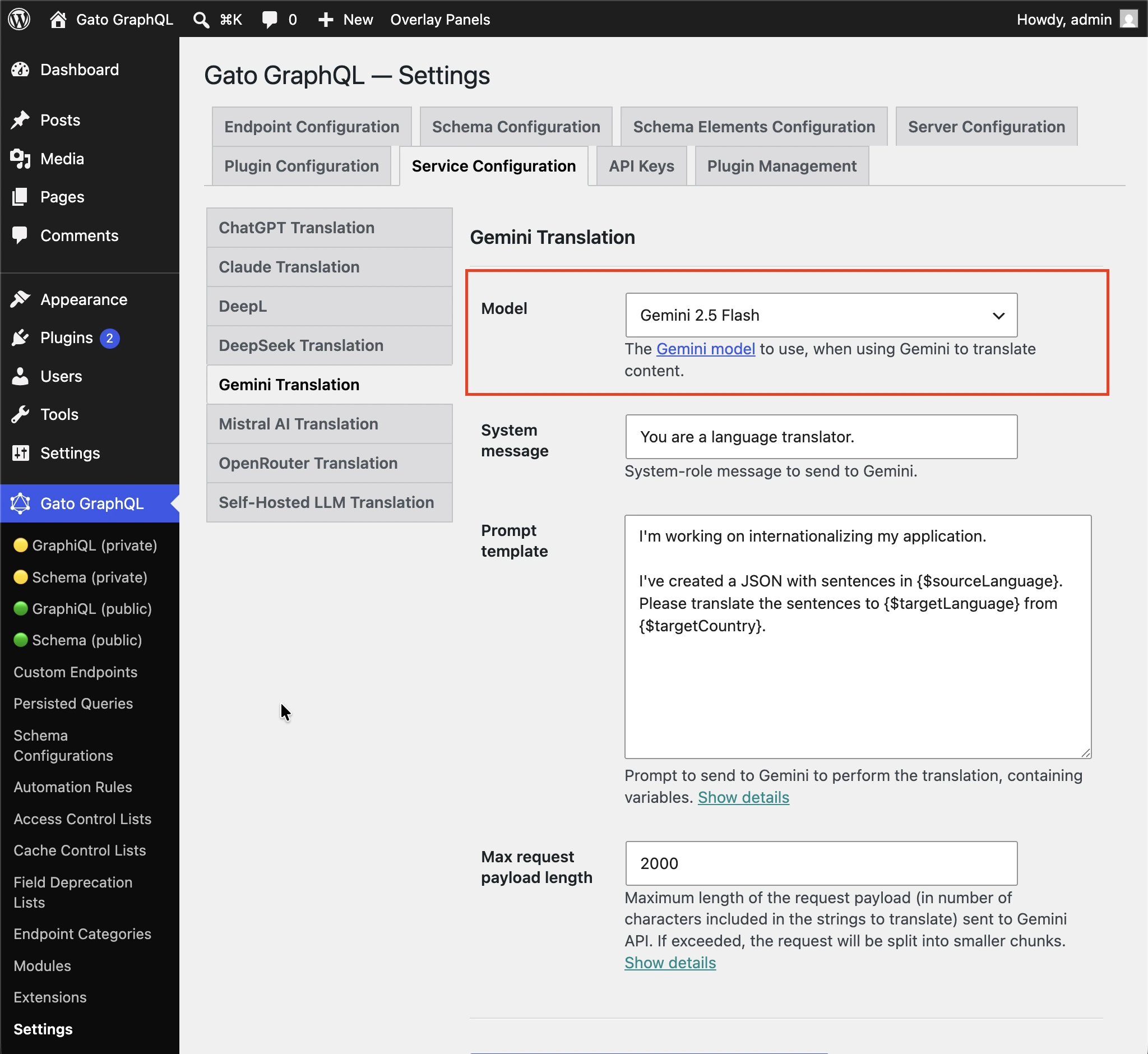
You can customize which Gemini model to use to execute the translation.
The following models are supported:
- Gemini 2.0 Flash (
gemini-2.0-flash) - Gemini 2.0 Flash-Lite (
gemini-2.0-flash-lite) - Gemini 2.5 Flash (
gemini-2.5-flash) - Gemini 2.5 Flash-Lite (
gemini-2.5-flash-lite) - Gemini 2.5 Pro (
gemini-2.5-pro) - Gemini 3.1 Flash-Lite (
gemini-3.1-flash-lite)
Follow one of the methods below to input the value.
By Settings
Input the model in the corresponding input in the Settings page, and click on "Save Changes (All)":
In wp-config.php
Add constant GATOGRAPHQL_GEMINI_TRANSLATION_SERVICES_MODEL in wp-config.php:
define( 'GATOGRAPHQL_GEMINI_TRANSLATION_SERVICES_MODEL', 'gemini-2.5-flash' );By environment variable
Define environment variable GEMINI_TRANSLATION_SERVICES_MODEL.
Translation prompt
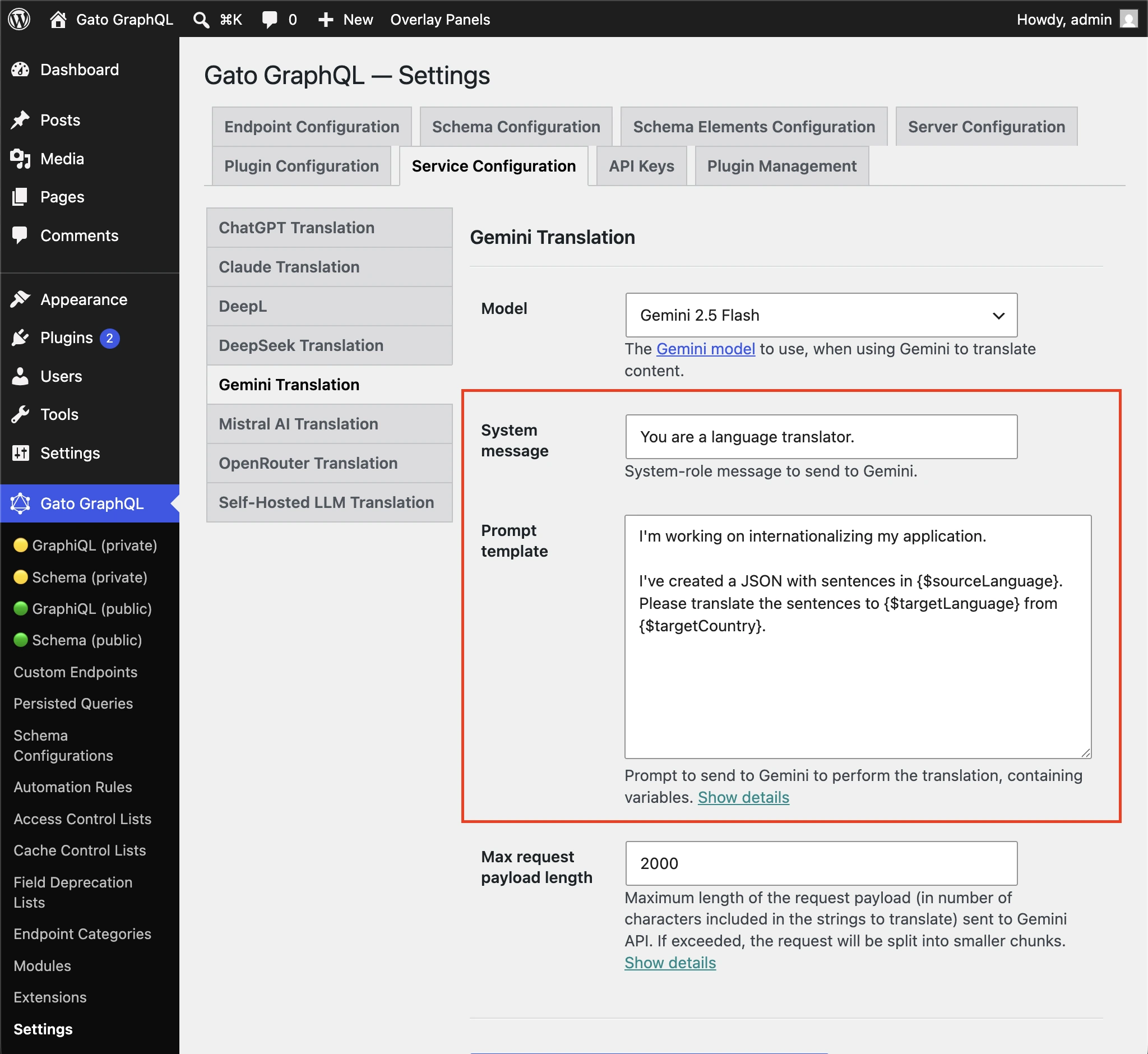
You can customize the prompt to pass Gemini to execute the translation.
Follow one of the methods below to input the value.
By Settings
Input the "System message" and "Prompt template" in the corresponding inputs in the Settings page, and click on "Save Changes (All)":
In wp-config.php
Add constants GATOGRAPHQL_GEMINI_TRANSLATION_SERVICES_SYSTEM_MESSAGE and GATOGRAPHQL_GEMINI_TRANSLATION_SERVICES_PROMPT_TEMPLATE in wp-config.php:
define( 'GATOGRAPHQL_GEMINI_TRANSLATION_SERVICES_SYSTEM_MESSAGE', 'You are a helpful translator' );
define( 'GATOGRAPHQL_GEMINI_TRANSLATION_SERVICES_PROMPT_TEMPLATE', 'Please translate strings from {$sourceLang} to {$targetLang}' );By environment variable
Define environment variables GEMINI_TRANSLATION_SERVICES_SYSTEM_MESSAGE and GEMINI_TRANSLATION_SERVICES_PROMPT_TEMPLATE.